Within this article, you'll learn how to change the PIN on your Atomic account.
- Start by logging into the Atomic control panel.
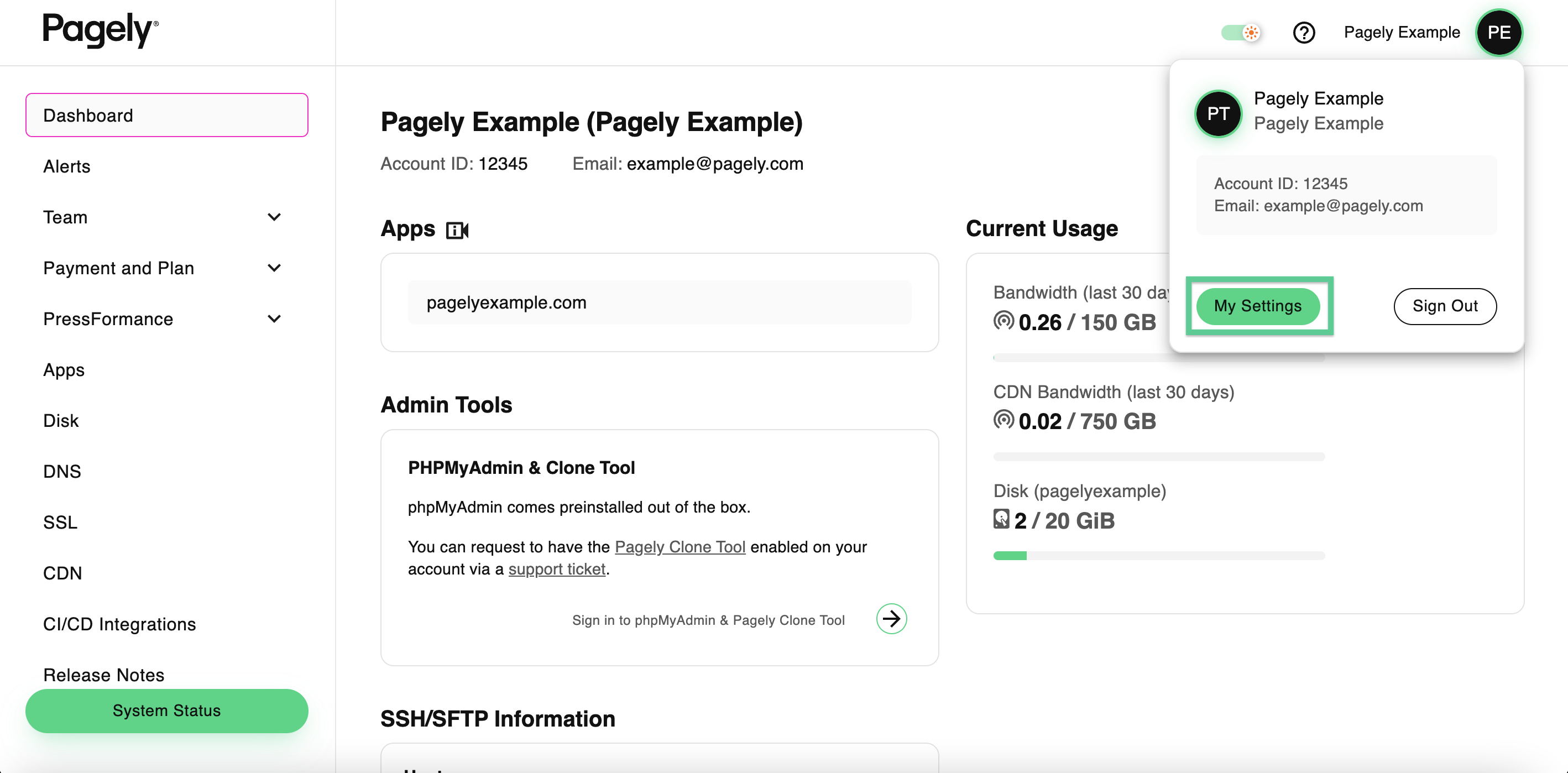
- On the top-right of your screen, click on My Settings to access your user's account settings.
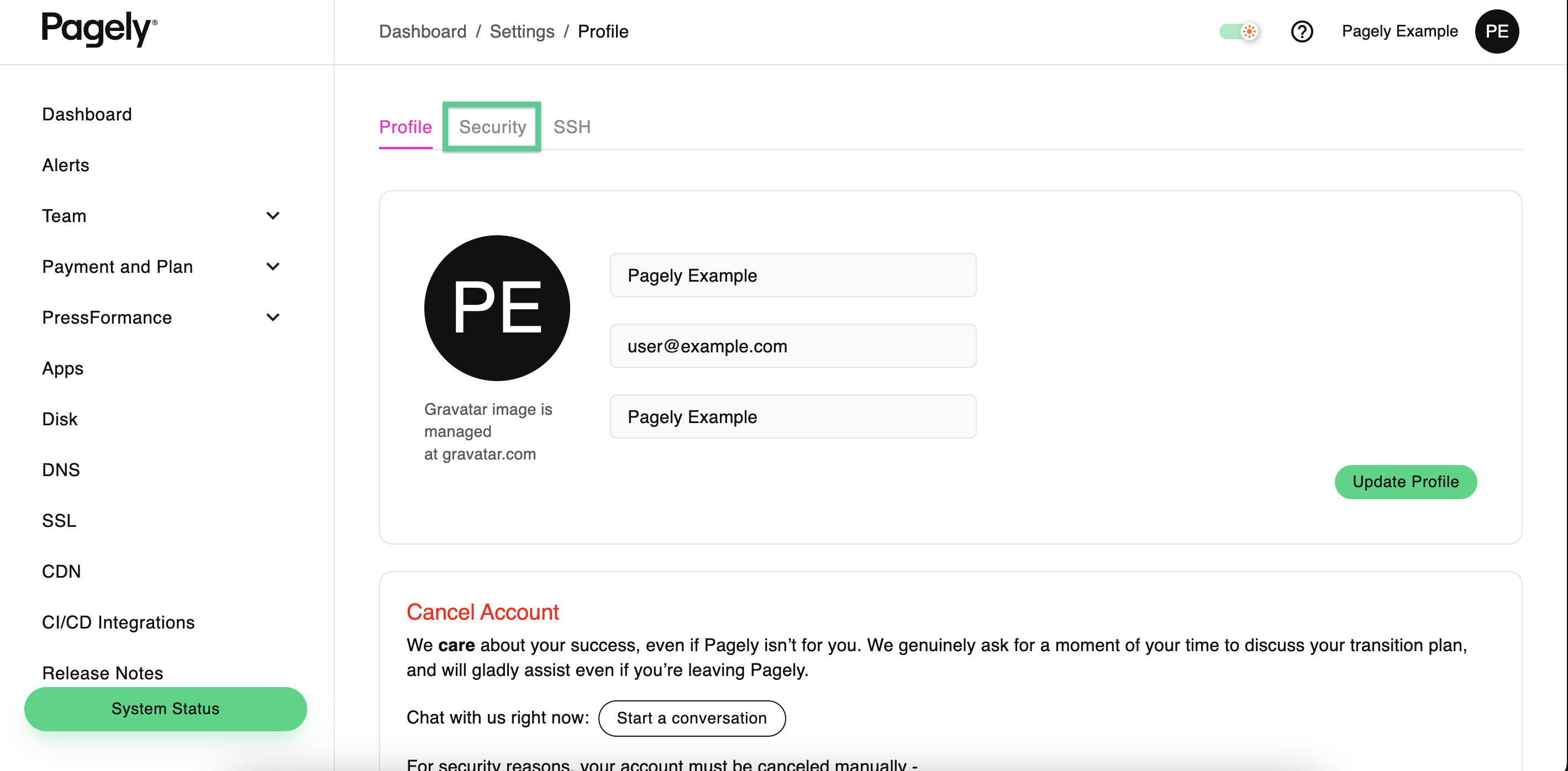
- Once inside the settings page, click on the Security tab to access your security settings.
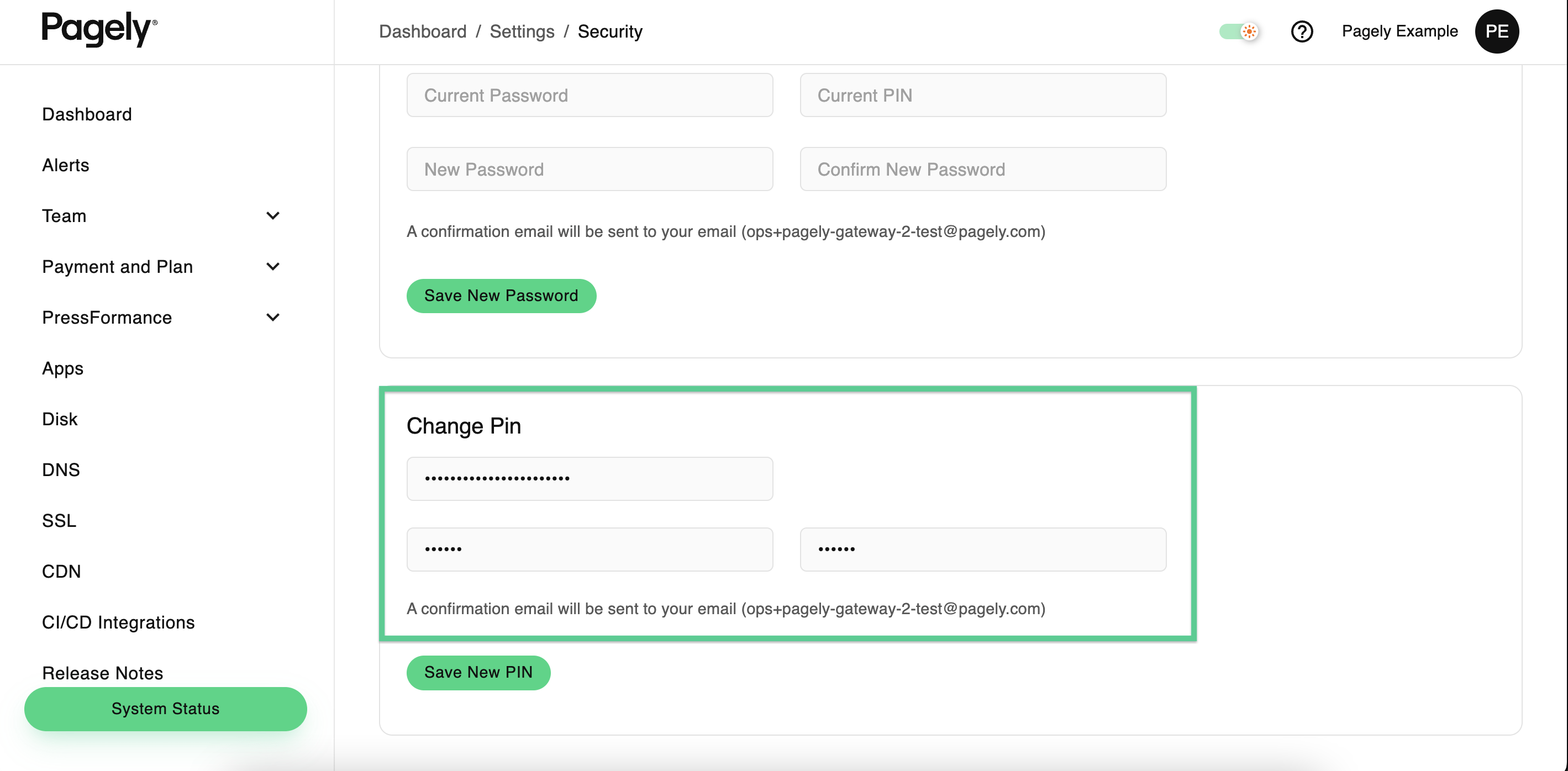
- Scroll down and find the Change PIN section. Inside this section, enter your current Atomic account password and new PIN into the corresponding fields.
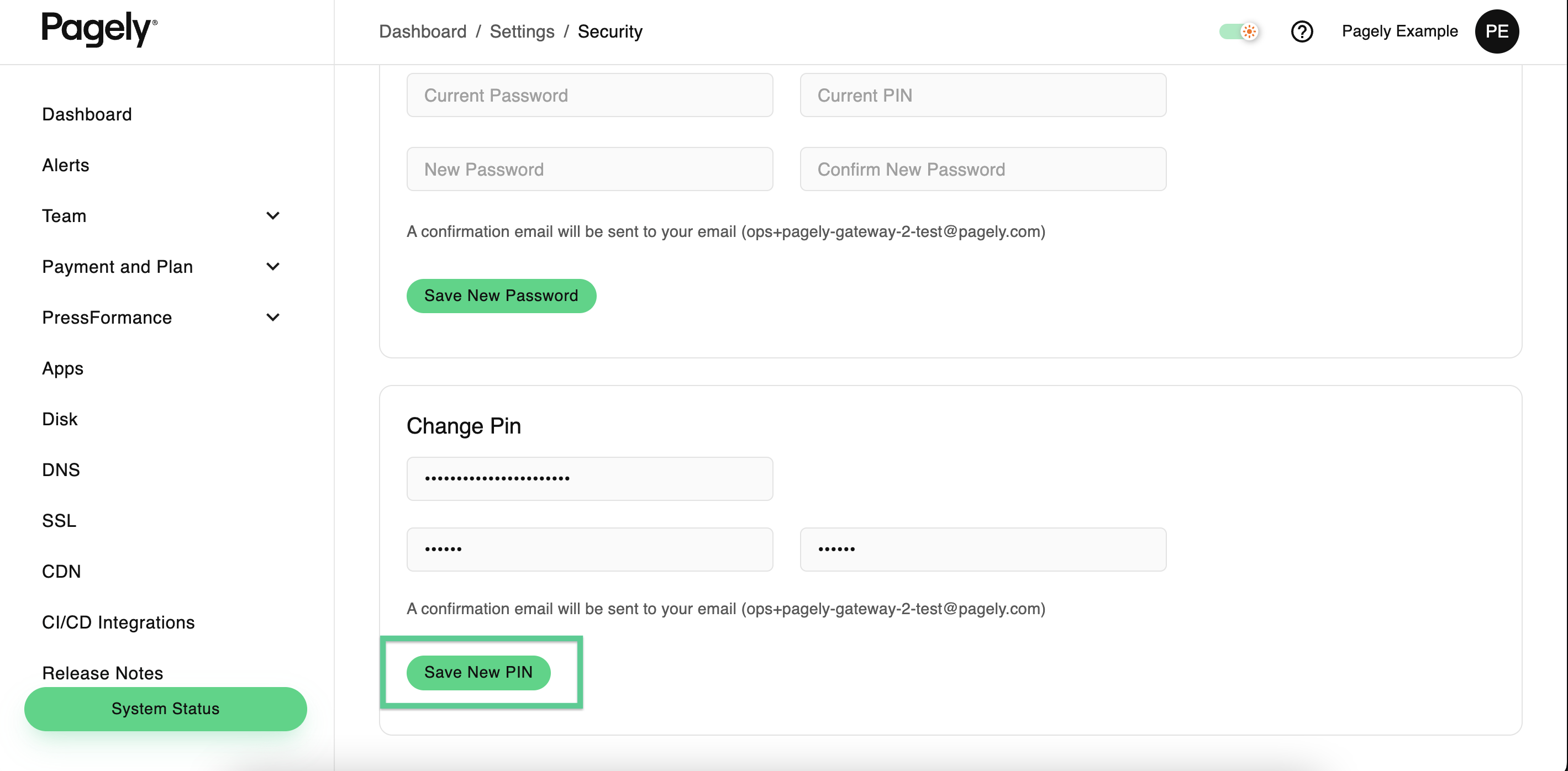
- Finally, click on the Save New PIN button to save your changes.